
Client-Server Architecture
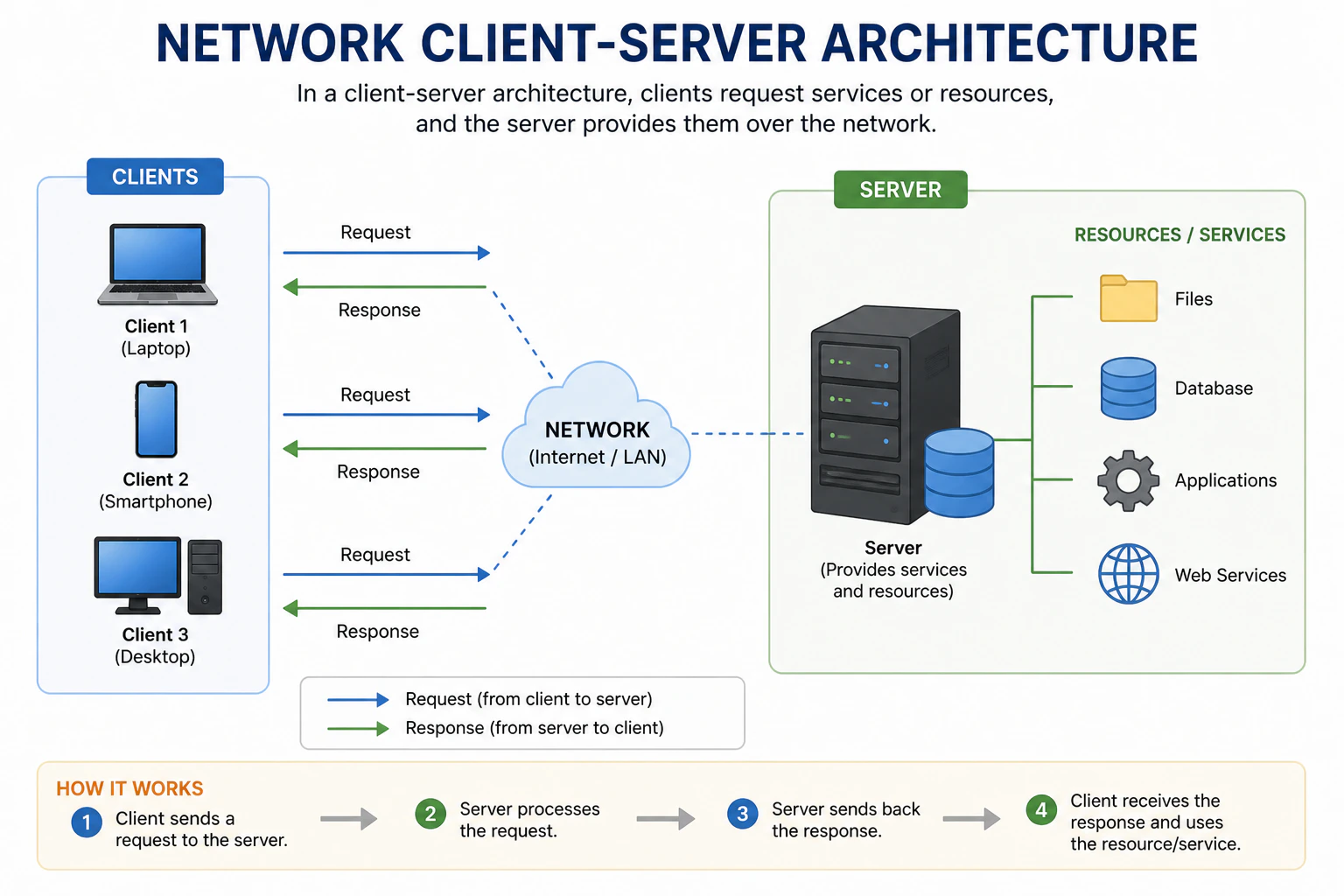
- Server: A server is a powerful, central computer that provides/serves resources, data, or services to multiple clients. It’s always on and waiting for requests from clients. The server processes the requests and sends back the appropriate responses to the clients. Example of servers include web servers, database servers, and file servers.
- Client: A client is a computer or device that requests resources or services from the server. Clients can be anything from desktop computers, laptops, smartphones, to tablets. They initiate communication (request) with the server and wait for responses. Examples of clients include web browsers, email clients, and mobile apps.
Analogy
Analogy
Think of the client-server architecture like a restaurant.
- Server: The restaurant staff (waiters, chefs) who prepare and serve food.
- Client: The customers who come to the restaurant and order food.
Advantages & Disadvantages
Advantages & Disadvantages
Peer-to-Peer (P2P) Architecture
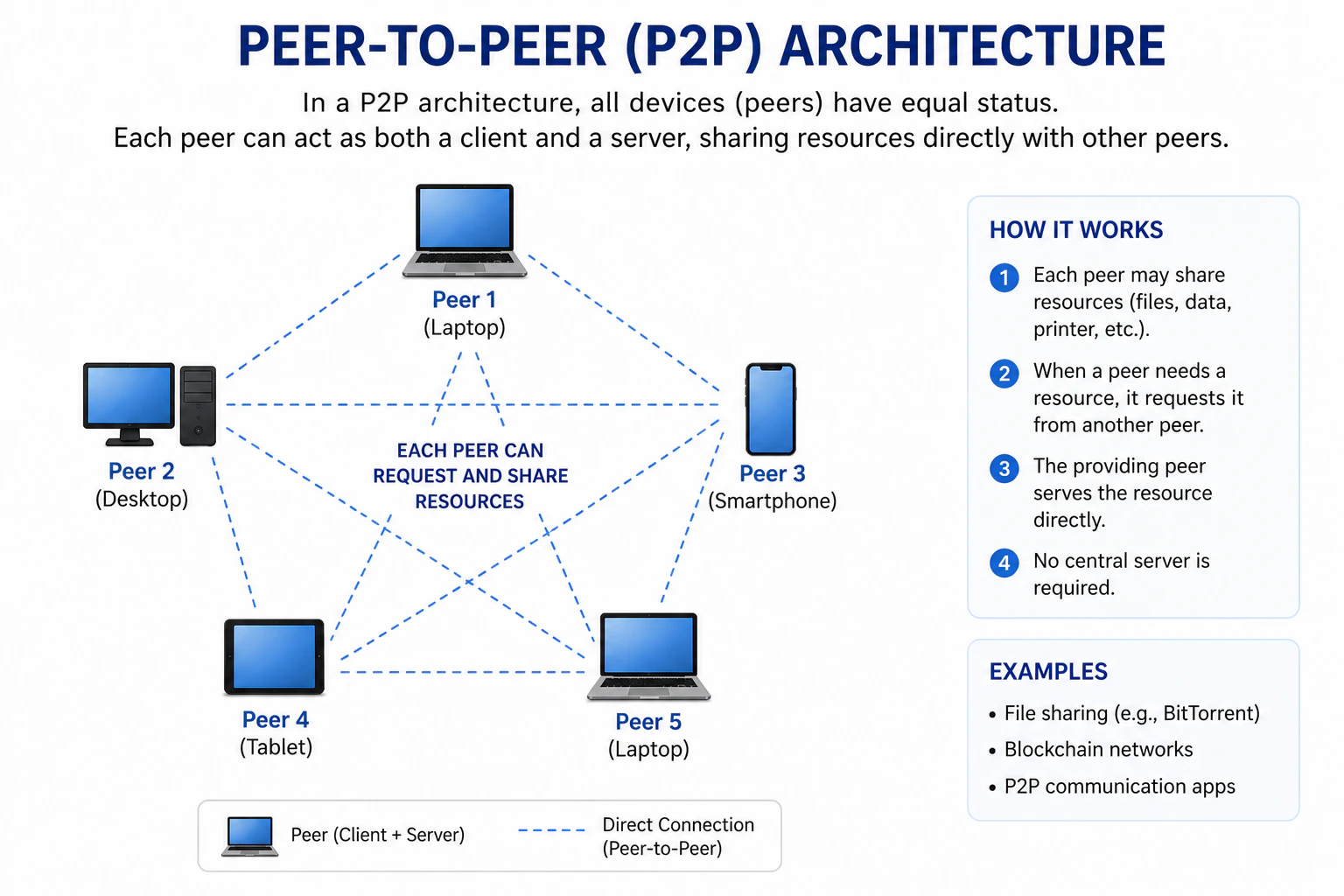
- Peers: Each peer/device can act as both a client and a server. They can request resources from other peers and provide resources to other peers. Examples of P2P applications include file-sharing networks like BitTorrent and decentralized communication platforms.
Analogy
Analogy
Think of the peer-to-peer architecture like a neighborhood.
- Peers: The residents of the neighborhood who can both borrow and lend items to each other.
Advantages & Disadvantages
Advantages & Disadvantages
Hybrid Architecture
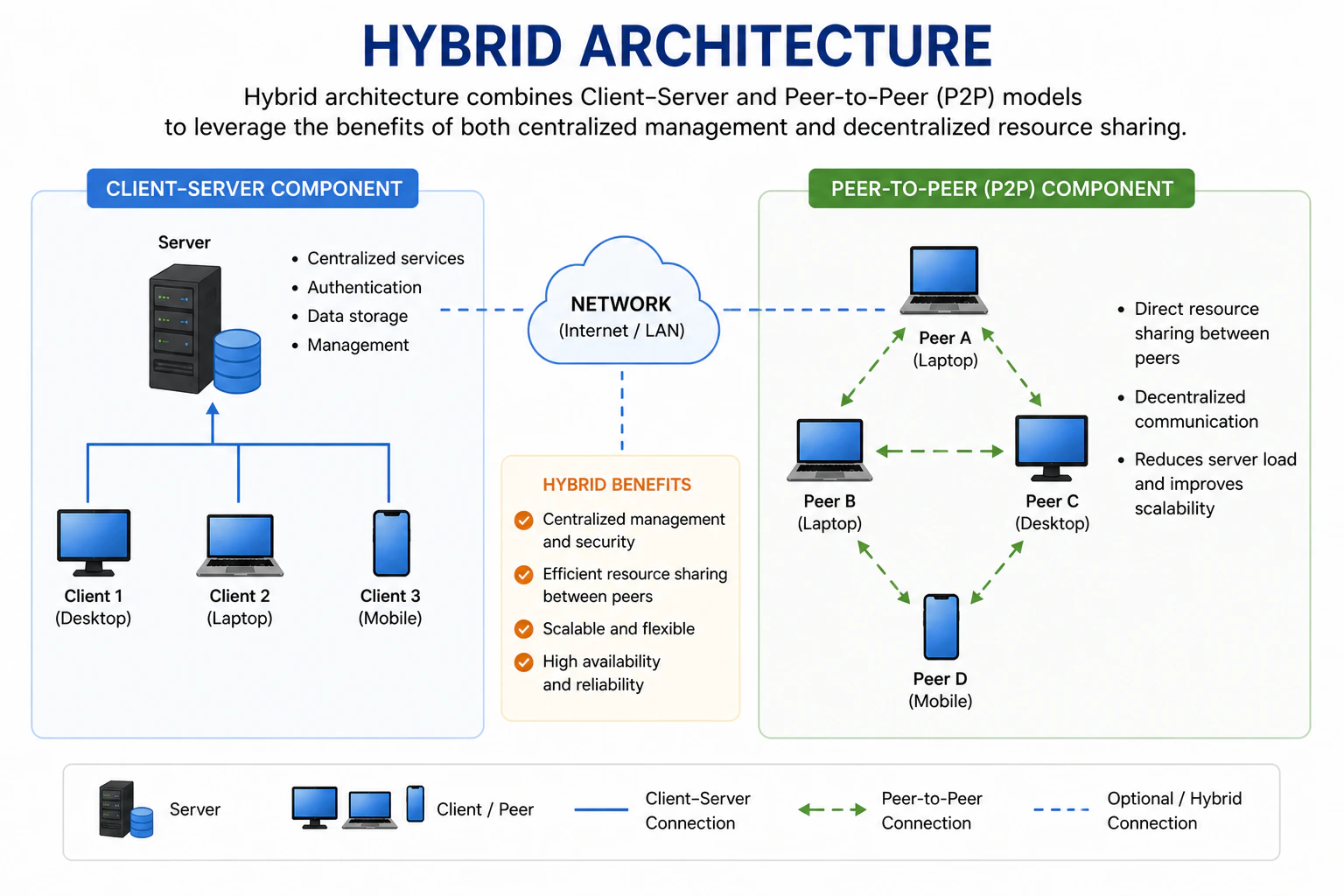
- Central Server: The central server can provide services such as authentication, coordination, or resource management.
- Peers: Peers can communicate directly with each other for certain tasks, such as file sharing or real-time communication.
Analogy
Analogy
Think of the hybrid architecture like a community center.
- Central Server: The community center staff who manage the facility, provide resources, and coordinate activities.
- Peers: The community members who can interact with each other directly for various activities.
Advantages & Disadvantages
Advantages & Disadvantages